

Download Yesterday's News – Creative Word Game, Hilarious Headline Creator, Tabloid Fun
Overview
Yesterday's News is a lighthearted, wordplay-driven mobile game designed to spark creativity and laughter through the art of absurd headline generation. The app presents players with a unique twist on party games, transforming everyday news topics into outrageous, tabloid-style headlines. By combining imaginative word selection with collaborative humor, the game fosters an engaging environment where participants can express themselves through playful language. It’s ideal for casual gamers, word enthusiasts, and anyone looking to add fun to social gatherings, whether in person or online.
The app addresses the growing demand for interactive, low-pressure entertainment that doesn’t require long learning curves or complex mechanics. It solves the common problem of finding entertaining group activities that are both inclusive and quick to start. Whether used during a family game night, a virtual hangout with friends, or as a solo creative outlet, Yesterday's News offers a refreshing take on digital amusement. Its core appeal lies in the blend of spontaneity, humor, and social interaction, making it a standout in the casual gaming space.
While the developer’s background was not disclosed, the game’s design suggests a focus on user experience and playful engagement. The release date of September 20, 2024, indicates it is a recent entrant in the mobile entertainment market, aiming to capture attention with its novelty and accessibility. The game fits seamlessly into the growing trend of social, word-based mobile experiences that prioritize fun over competition.
Key Features & Functionality
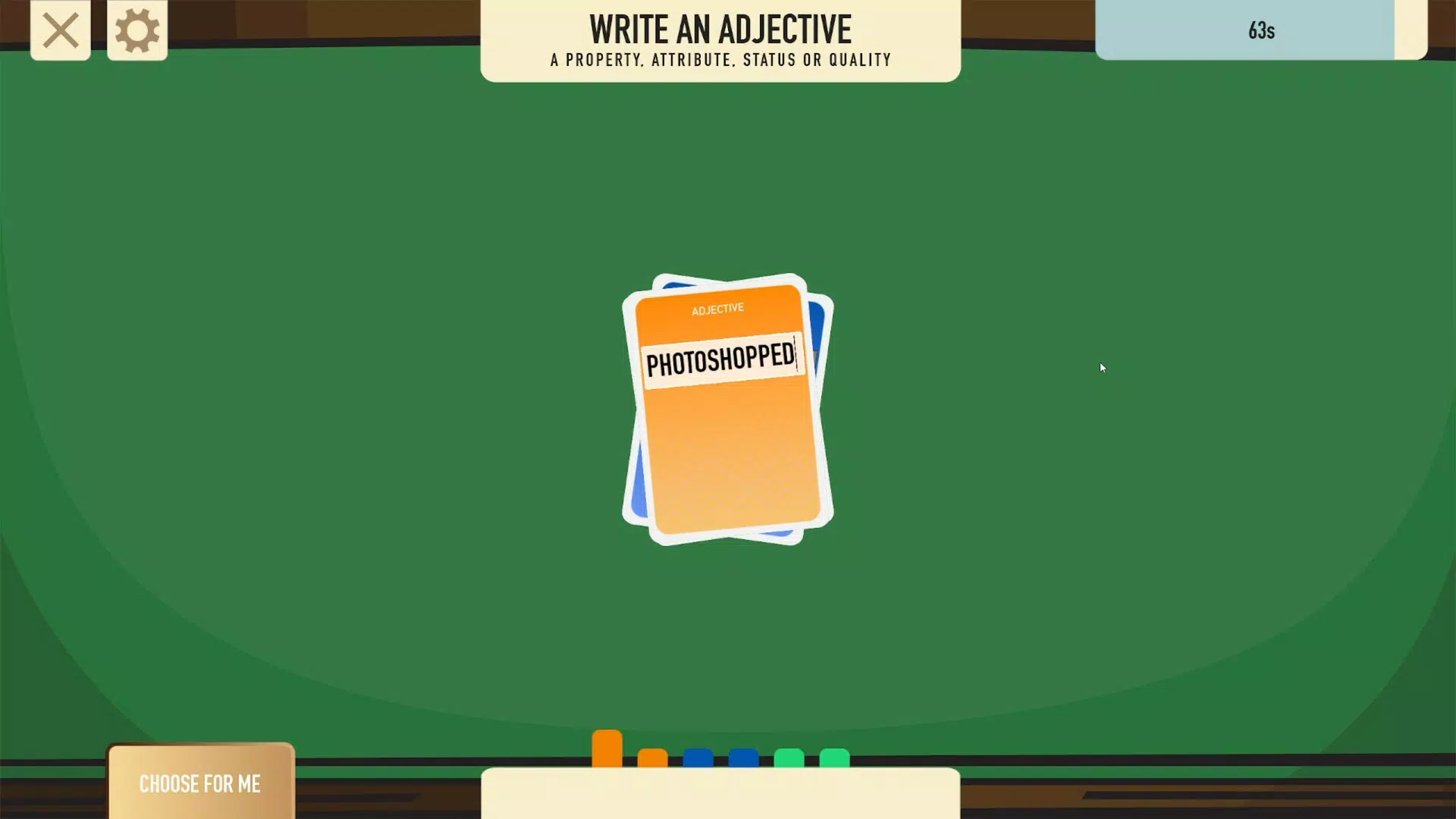
- Creative Word Generation: Before each news topic is revealed, players select a set of imaginative words. These serve as building blocks for the headlines, encouraging strategic and spontaneous thinking.
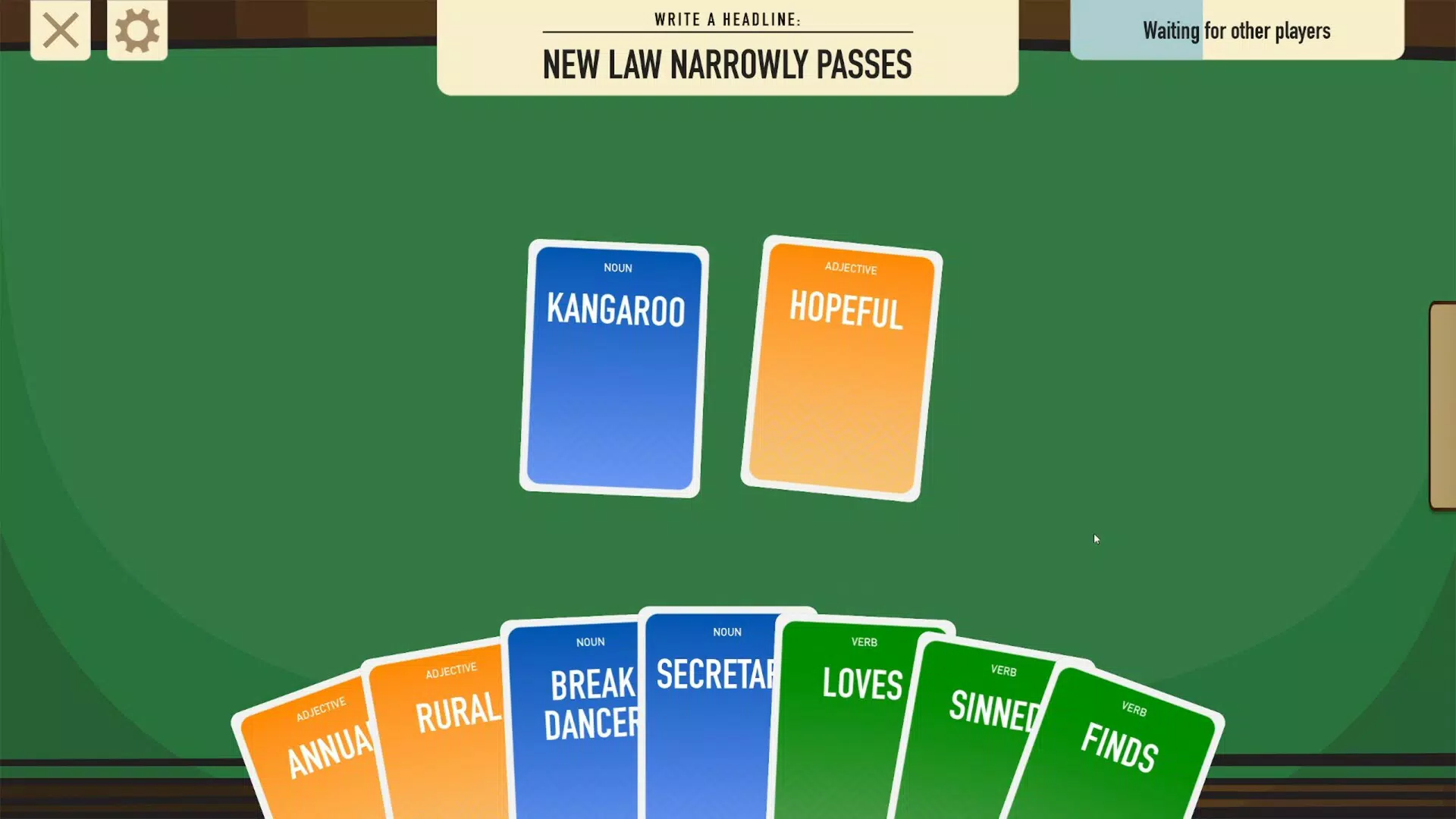
- Hilarious Headline Creation: Using the generated words, players craft outlandish, exaggerated headlines. The game embraces absurdity, allowing for unlimited creativity without constraints of factual accuracy.
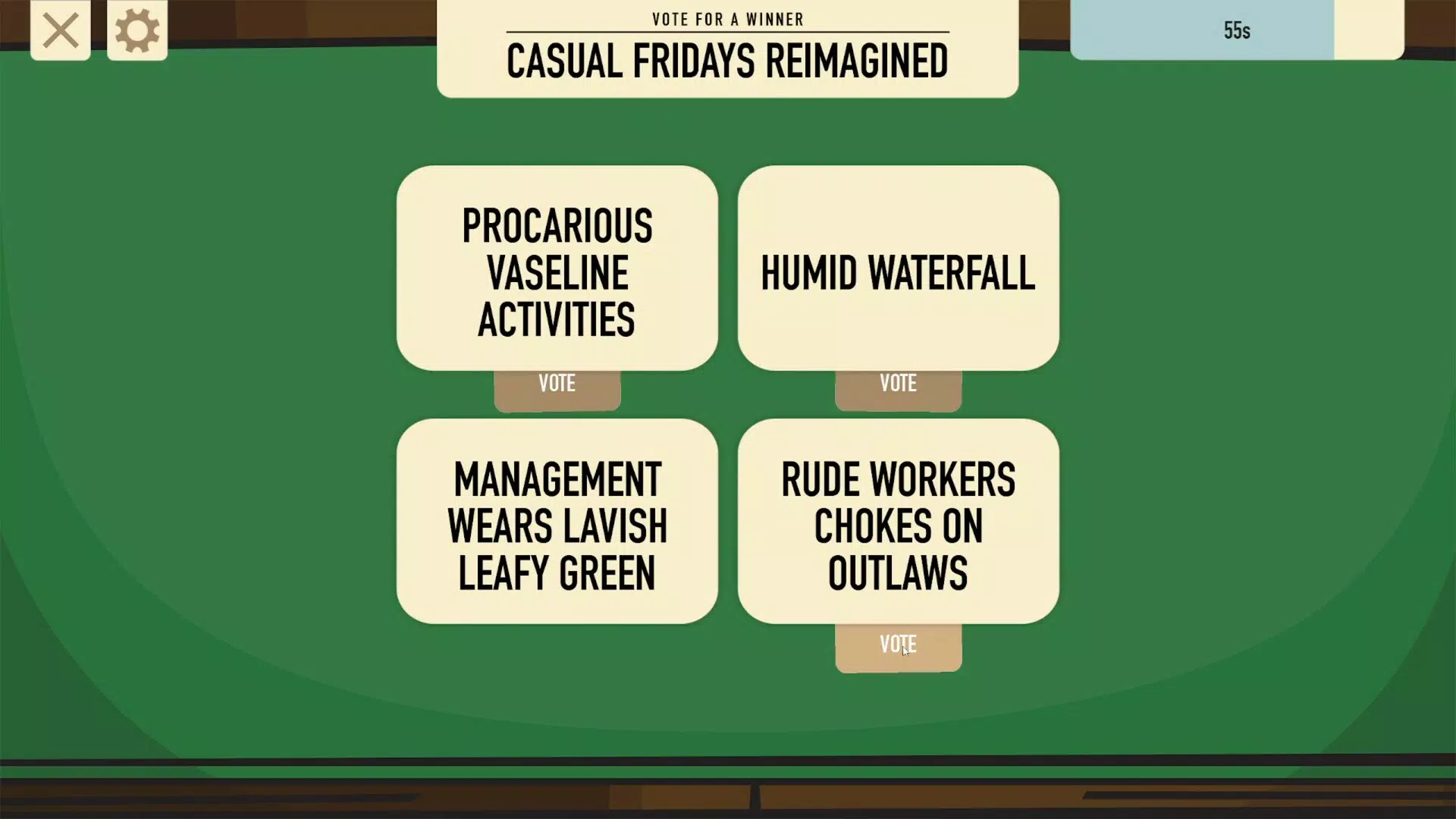
- Interactive Voting Process: After submissions, players vote on the funniest and most fitting headlines. This democratic element adds suspense and engagement, as everyone anticipates the results.
- Unique Scoring System: Points are awarded not only for the popularity of one’s own headlines but also for words used in others’ submissions. This promotes collaboration and rewards thoughtful word choices.
- Inclusive Gameplay: Designed for players of all ages and skill levels, the game requires no prior expertise. It emphasizes enjoyment and expression over performance, making it accessible to diverse audiences.
For example, if the news topic is “local weather,” a player might generate words like “giant,” “squirrel,” and “melted.” They could then create a headline like “Giant Squirrel Melts After Rainstorm.” Another player might use “squirrel” in their own headline, earning points even if their own creation isn’t selected. This mechanic ensures continuous engagement and rewards participation beyond just winning.
Interface, UX & Performance
The user interface of Yesterday's News appears to prioritize clarity and ease of use, with a clean layout that guides players through each phase of the game. Visual elements are likely designed to reflect the playful, tabloid-inspired theme, using bold fonts, exaggerated graphics, and vibrant colors to enhance the humorous tone. Navigation is expected to be intuitive, allowing users to move seamlessly between word selection, headline creation, and voting stages.
Although the developer did not list formal performance metrics, the game’s mechanics suggest it is optimized for smooth operation across a range of device categories. The absence of complex animations or high-resolution assets indicates it is built for efficiency, ensuring stable performance even on mid-tier smartphones. Responsiveness is likely consistent, with minimal lag during transitions between game rounds.
Stability appears to be a focus, as the game relies on real-time interaction and voting. Without reported issues in the provided data, it can be reasonably assumed that the app maintains a reliable connection during multiplayer sessions. The overall experience is designed to be frictionless, minimizing distractions and keeping the emphasis on creativity and fun.
Platform Compatibility & Technical Requirements
Yesterday's News is available on the Android platform, with a software version released on September 20, 2024. The app’s file size is 45.3 MB, indicating a lightweight design that should install quickly on most devices. While the developer did not specify minimum OS requirements, the app’s size and structure suggest compatibility with recent Android versions.
Specific requirements such as RAM, processor, or screen resolution were not listed. Therefore, compatibility with older or lower-end devices cannot be confirmed. However, the compact size and straightforward design imply broad accessibility. Users should ensure their device meets standard Android system requirements for app installation.
Pros and Cons
- Lightweight and fast to install
- Encourages creativity and humor
- Unique scoring system rewards participation
- Easy to learn and play
- Great for group play and social settings
- Developer background not disclosed
- Platform availability limited to Android
- No information on multiplayer options or connectivity
- Technical specs not fully detailed
- Compatibility with older devices not confirmed
FAQ
Is Yesterday's News free to download?
Yes, the app is available for download at no cost. However, specific in-app purchases or premium features were not detailed in the provided information.
Can I play Yesterday's News offline?
It is unclear whether offline play is supported. The game’s interactive voting system suggests an online connection may be required, but this was not confirmed by the developer.
Is the game suitable for children?
Yes, the app is designed to be inclusive and family-friendly. The humor is playful and exaggerated, making it appropriate for younger audiences, though parental discretion is advised for content generated by other players.
How often does the app receive updates?
Update frequency was not specified. The app was released on September 20, 2024, and no information on future updates or maintenance was provided.
Is my data secure when using the app?
The developer did not disclose privacy policies or data handling practices. Users are advised to review the app’s permissions and terms before installation.
Final Thoughts
Yesterday's News stands out as a fresh and entertaining mobile experience that combines creativity, humor, and social interaction in a simple yet effective package. Its unique scoring system encourages both individual expression and collaborative fun, making it more than just a game—it’s a shared creative outlet. Whether you're playing solo to spark your imagination or gathering friends for a laugh-filled session, the app delivers consistent enjoyment without overwhelming complexity.
While some technical details remain unspecified, the game’s lightweight design, accessible gameplay, and focus on fun make it a strong choice for casual users and social gamers alike. It fills a niche in the mobile app ecosystem by offering a low-barrier, high-reward experience centered on wordplay and laughter.
Download Yesterday's News now


